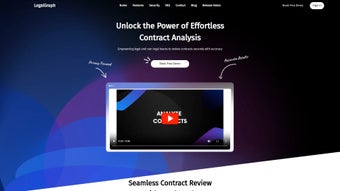

Download LegalGraph – AI‑Powered Loan Document Review Tool
Overview
LegalGraph is a cloud‑native, AI‑driven application built specifically for legal teams that manage large loan agreements. The platform leverages a curated corpus of thousands of loan contracts to automatically ingest documents that exceed 500 pages, extract critical clauses, and present the information in an editable, searchable dashboard. What truly distinguishes LegalGraph is its transparent reasoning engine: every AI‑generated highlight is accompanied by a concise explanation of why the model flagged that text, giving reviewers immediate insight into the underlying logic.
Security is a core pillar; all data is protected with TLS 1.3 encryption during transmission, and organizations with strict compliance requirements can opt for an on‑premise Docker deployment that isolates data behind their own firewalls. The user experience is designed for both junior associates who need rapid abstraction and senior partners who demand granular control over every extracted provision. Integrated collaboration tools let team members comment, assign tasks, and track changes in real time, turning a traditionally solitary review process into a coordinated workflow.
With dedicated onboarding support, LegalGraph helps firms reduce manual effort, accelerate deal timelines, and lower the risk of missing pivotal contractual language, making it a compelling addition to any legal tech stack.
Key Features, Pros & Cons
- Deep Contract Understanding: Trained on a massive library of loan agreements, the engine recognizes industry‑specific terminology, conditional clauses, and financial covenants.
- Scalable Abstraction: Processes documents of any length, comfortably handling files over 500 pages without performance loss.
- Transparent AI Reasoning: Each extracted clause includes a short rationale, allowing reviewers to verify accuracy instantly.
- Editable Results: Inline editing lets users correct or augment AI suggestions before final export.
- Robust Encryption & On‑Premise Option: End‑to‑end TLS encryption and a Docker‑based deployment for strict data‑sovereignty needs.
- Continuous Learning: The model automatically updates its knowledge base with new contract patterns.
- Integrated Collaboration: Real‑time commenting, task assignment, and change tracking across legal and finance teams.
- Smart Search & Filters: Natural‑language queries quickly locate clauses, dates, or monetary values.
- Customizable Reporting: Export to Excel, CSV, or PDF with templated audit trails.
- Dedicated Support: A specialized team assists with setup, training, and troubleshooting.
Pros
- Handles extremely large loan documents without slowdown.
- Transparent reasoning builds trust and cuts verification time.
- Editable outputs give precise control over final data.
- Strong security, including optional on‑premise deployment.
- Continuous model updates keep extraction current.
- Web‑based access works on any modern operating system.
Cons
- Subscription pricing is higher than basic PDF extractors.
- On‑premise setup requires Docker expertise and server resources.
- Advanced search syntax and custom report templates have a learning curve.
Installation, Usage, Compatibility & FAQ
Getting Started – Web‑Based Deployment
LegalGraph is delivered as a SaaS solution, so no traditional client‑side installation is needed. After purchasing a subscription, users receive a secure login link. The onboarding wizard guides you through workspace creation, document upload, and permission configuration. For firms that prefer to keep data on internal servers, a Docker‑based package is available for Windows Server, Linux (Ubuntu 20.04 LTS, CentOS 8), and macOS. The installation guide provides step‑by‑step commands, ensuring a smooth launch whether you choose the cloud or on‑premise route.
Step‑by‑Step Usage Guide
- Upload the Loan Document: Drag‑and‑drop PDF, DOCX, or high‑resolution image files into the portal; the AI begins processing instantly.
- Review Extraction Summary: A dashboard presents key sections such as repayment schedule, covenants, and collateral description.
- Inspect Reasoning: Click any highlighted clause to see the model’s justification, helping you confirm relevance.
- Edit or Add Data: Use the inline editor to correct or enrich extracted information; changes are versioned automatically.
- Collaborate: Assign tasks, add comments, and set deadlines directly on the document view.
- Export Results: Choose Excel, CSV, or PDF and apply a custom template for client‑ready reporting.
Compatibility Across Platforms
Because LegalGraph runs in a modern browser, it works on Windows 10/11, macOS 12 and newer, popular Linux distributions, as well as iOS 13+ and Android 9+ tablets. The interface is optimized for Chrome, Edge, Firefox, and Safari, delivering consistent performance whether accessed from a desktop workstation or a mobile device. The optional Docker container supports both Windows Server and Linux, eliminating OS‑specific barriers and allowing IT teams to deploy behind existing firewalls.
FAQ – LegalGraph (FAQPage)
Is LegalGraph suitable for small law firms?
Yes. A starter plan provides full AI capabilities at a cost‑effective rate for teams of up to five users, and the web‑based interface requires no heavy IT infrastructure.
How does LegalGraph ensure data privacy?
All data in transit is encrypted with TLS 1.3. Organizations can also deploy the Docker version on‑premise, keeping documents behind their own firewalls and preventing external storage.
Can I train LegalGraph on my own contract templates?
The enterprise plan includes a custom‑training module that lets you upload proprietary templates, enabling the model to fine‑tune its extraction logic for your specific clause structures.
What file formats does LegalGraph accept?
LegalGraph supports PDF, DOCX, and high‑resolution image formats such as JPEG, PNG, and TIFF. Scanned documents are processed with built‑in OCR technology.
Is there a free trial available?
A 14‑day free trial for the cloud version provides unrestricted access to all features, and no credit‑card information is required to start.
Review Summary: LegalGraph combines AI accuracy, transparent reasoning, and strong security, making it a standout solution for loan document analysis. While the price may be a consideration for very small practices, the productivity gains and risk reduction justify the investment for most mid‑size to large firms.
Conclusion & Call to Action
In an environment where a single clause can shift billions of dollars, LegalGraph equips legal teams with the speed of AI while preserving the essential human oversight needed for high‑value loan transactions. Its ability to ingest massive contracts, explain its reasoning, and allow inline edits transforms a tedious abstraction task into a collaborative, efficient workflow. The platform’s cross‑platform compatibility, robust encryption, and optional on‑premise deployment address both usability and compliance concerns. If you are ready to cut manual review time, enhance accuracy, and safeguard sensitive data, download LegalGraph today and start your free trial. Experience the future of loan document analysis and give your firm the competitive edge it deserves.



.png)



